RESEARCH PROJECTS
Understanding users, investigating ideas, and testing concepts
Designing for new devices and future customers
Designing for new devices and future customers
Designing for new devices and future customers
Designing for new devices and future customers
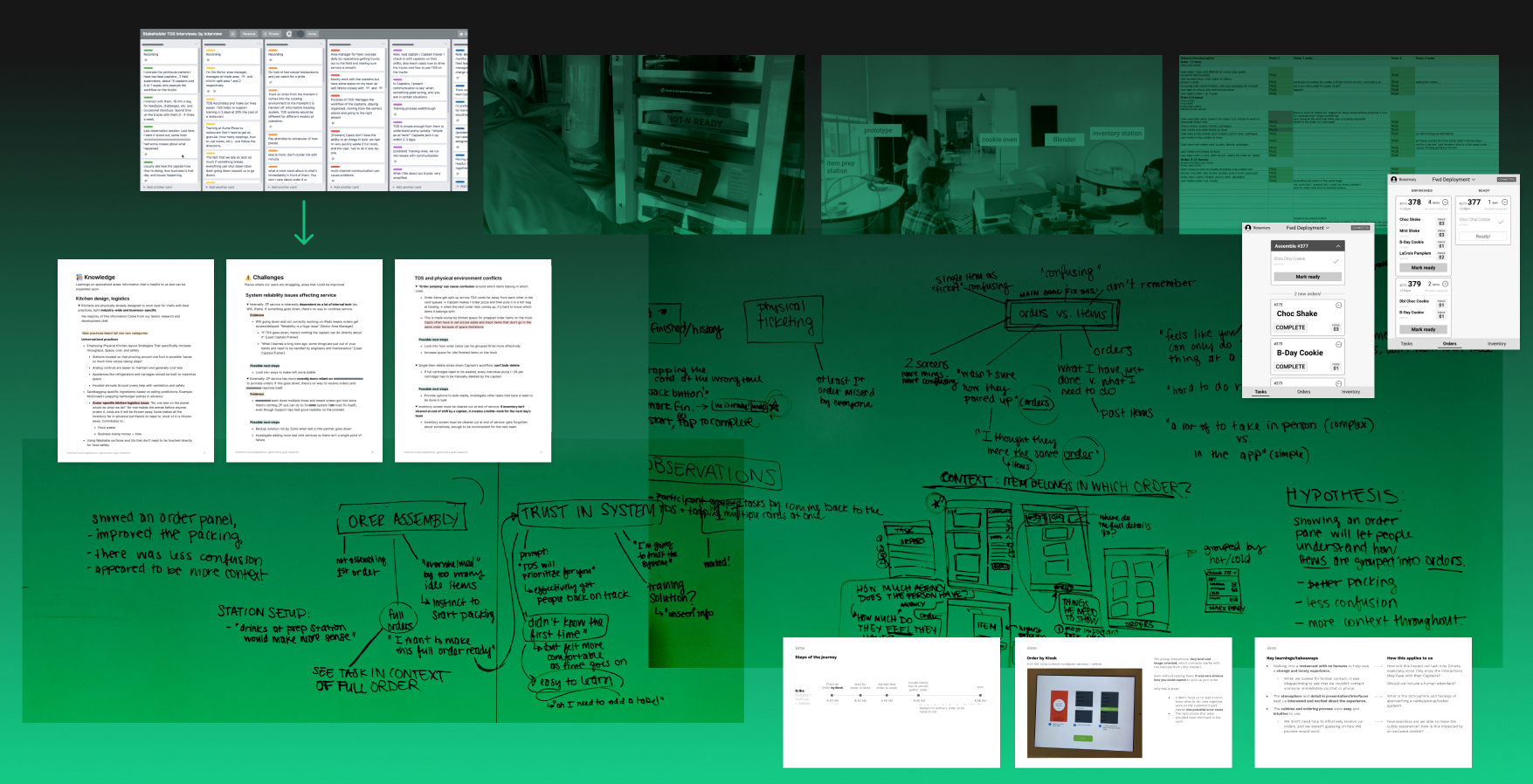
The following is a collection of research projects for various products I worked on at Zume. Some were exploratory projects with the goal of learning broadly while others were more focused efforts meant to inform specific product decisions. I collaborated with PMs, product designers, industrial designers, UX writers, and stakeholders like Zume Pizza’s fleet and support staff to arrive at well-rounded understandings of the areas under investigation.
Generative research: Zume trucks
Generative research: Zume trucks
Generative research: Zume trucks
Collecting information that would guide our work and priorities
Collecting information that would guide our work and priorities
In the Fall of 2019, I was assigned to lead the design of Zume’s truck experience. The truck experience encompassed all users who work on or with Zume's food trucks—prepping orders for customers, and managing truck fleets. The core team was made up of a product manager, a lead engineer, and me.
The establishment of this new team kicked off a need to research the current state of the truck experience, which didn't have good documentation on the challenges and pain points of the users in this part of the business. We needed to know what problems needed solving so we could prioritize work.
I led the research and synthesis effort working with my core team and received support from the design team while conducting interviews. The result was a Notion document detailing:
- Current user perceptions of their work
- Challenges that users encounter
- Points of interest that held product opportunities
- Kitchen knowledge from people like our Head of Culinary Ops
- Zume processes on fleet training and daily activities
- Current areas that were working well in the eyes of our users
Prepping for and conducting interviews
As part of the preparation, I briefed my teammates on best practices and what types of information we could expect to gather from the interviews. We came up with a list of people to interview and lists of core questions for different types of users.
All information was made available to the team in a shared doc so that we could sit with the information ourselves and see each others’ notes. Transcript notes were taken during the interviews. I re-watched video footage afterwards to get a better sense of areas that weren’t clear or might need a second interview for further clarification.
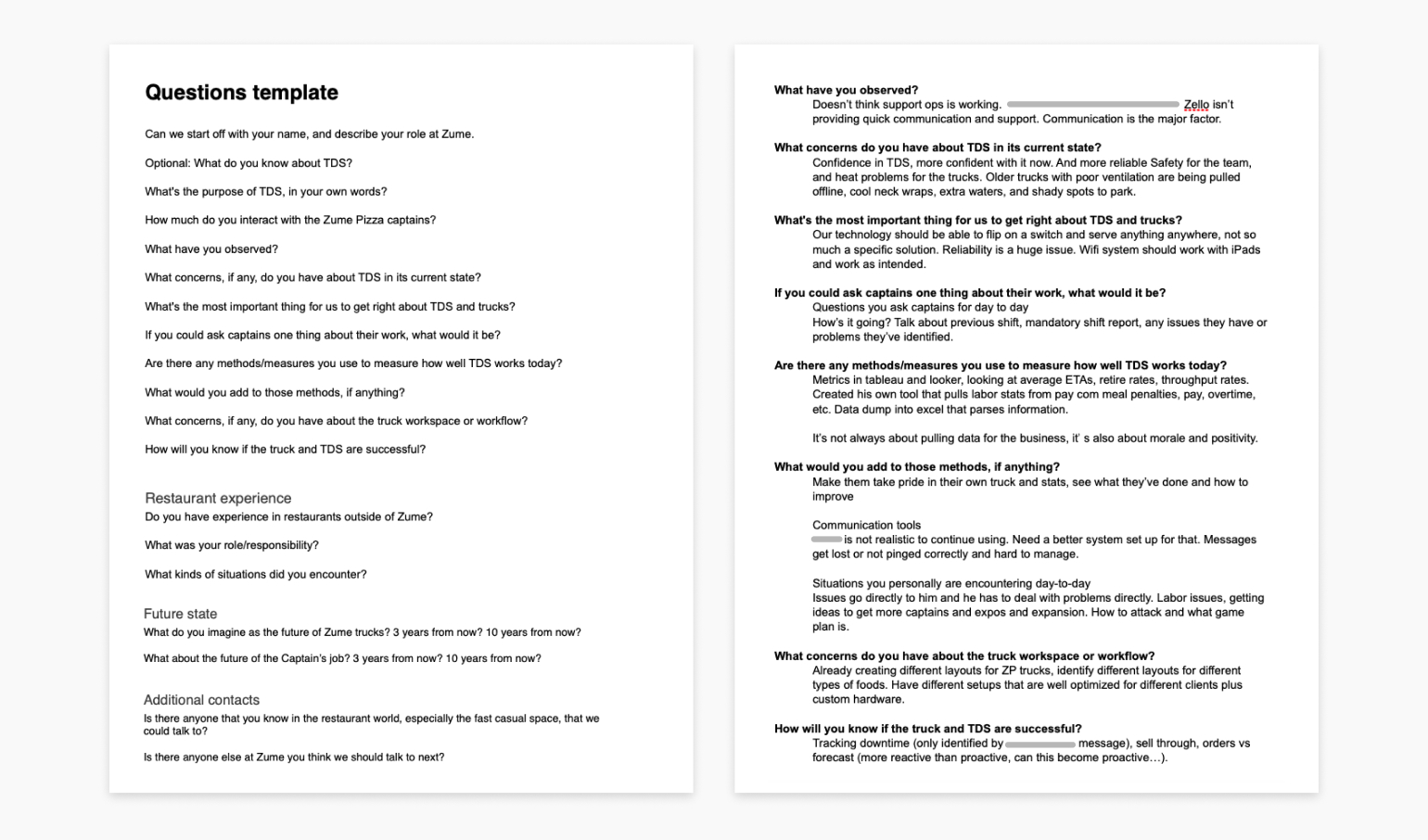
The question template I put together and notes from our interview sessions.
Organizing the data by person and by theme
As the interviews were being conducted, I set up Trello boards to organize findings. I took the notes and transcripts from our interviews and organized specifics by person, then made an additional board that was organized by theme. This started to reveal patterns and insights.
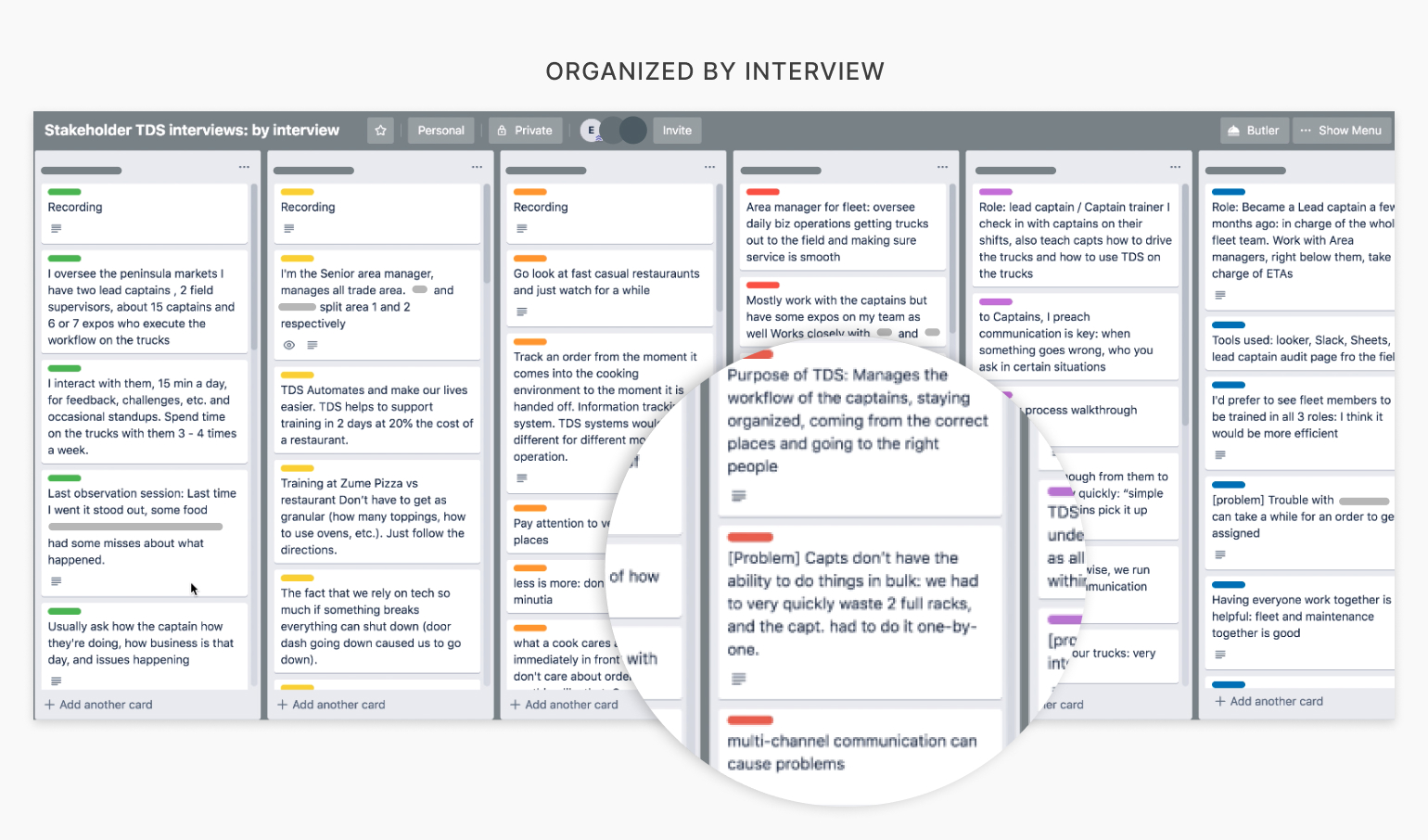
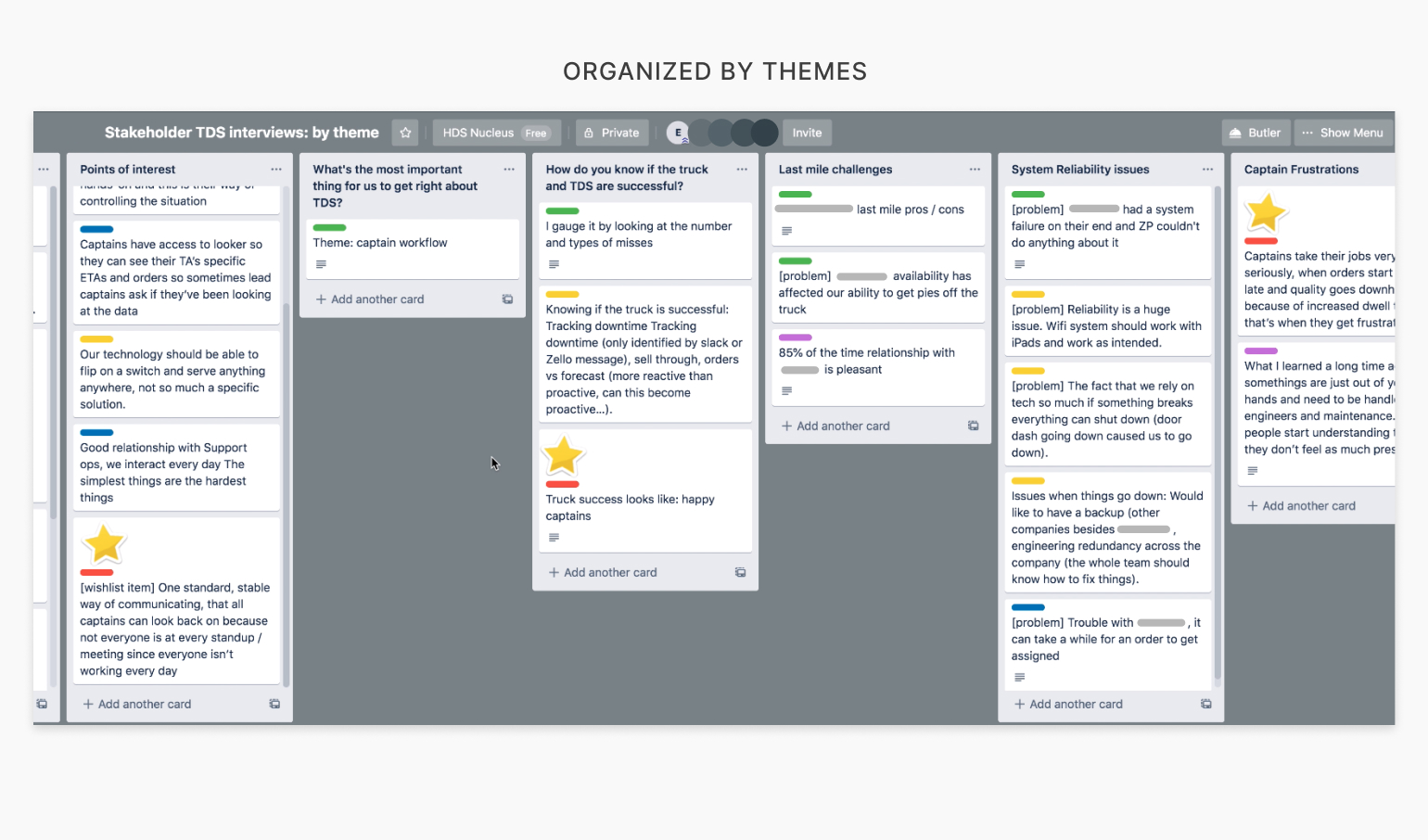
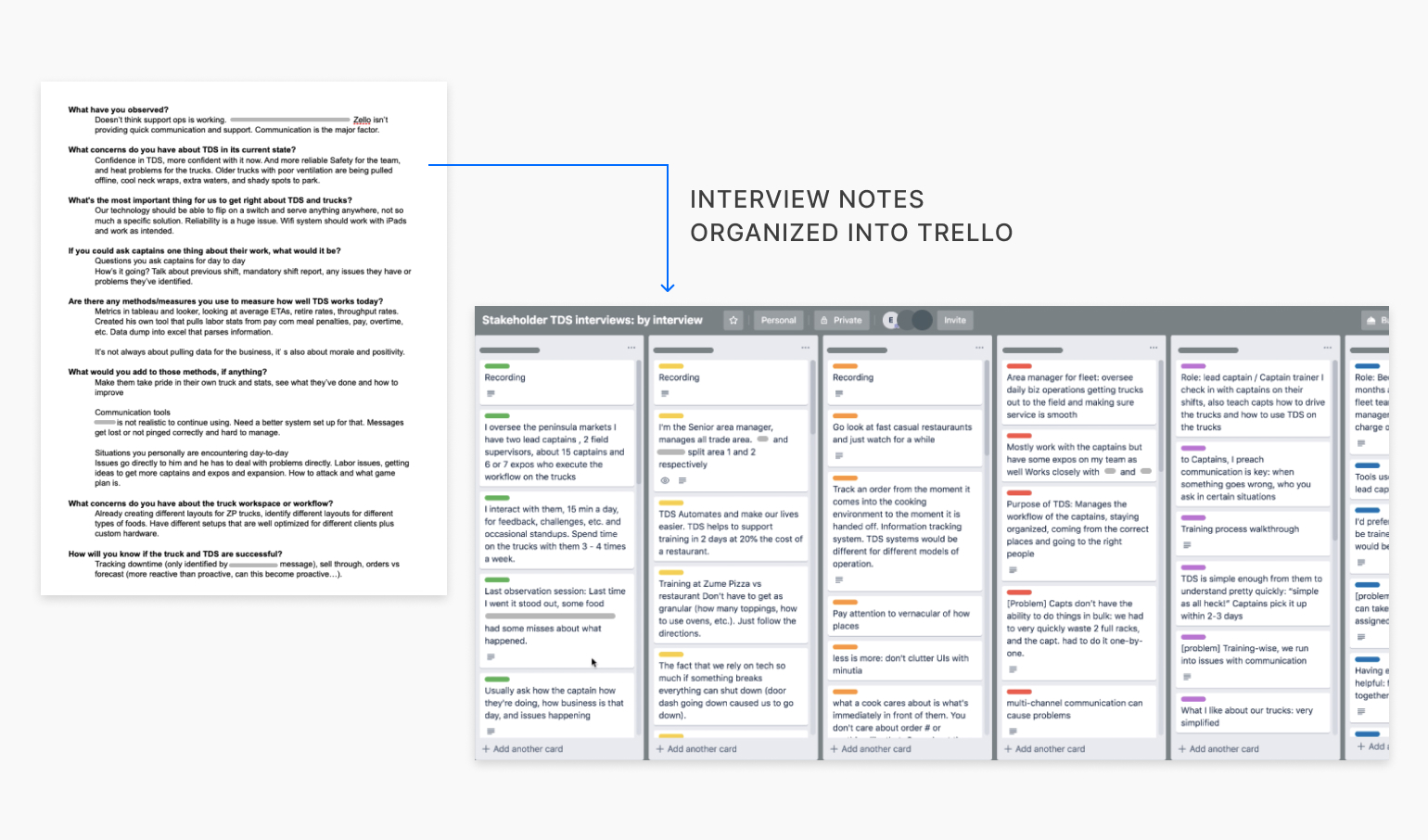
The Trello boards I made, one by interview and one by theme (drag or swipe to navigate images).
I needed to summarize my findings for a broader audience
Although the Trello boards were a helpful way to display the information to our immediate team who was familiar with the entirety of the process, it was still difficult to parse out exactly what our research had revealed from the boards alone. Additionally, it would be very difficult for other individuals to understand the takeaways of our research from the Trello boards alone.
I condensed the Trello boards into a Notion document that laid out knowledge and insights with supporting evidence, along with suggestions for next steps. This was an opportunity to show other teams the value of research projects, so I wrote with a broader audience in mind.
Outcomes
- Ability for our team to prioritize work on problems with the internal truck experience that was rooted in evidence
- A singular document detailing the internal truck experience from many different perspectives for future reference and expansion
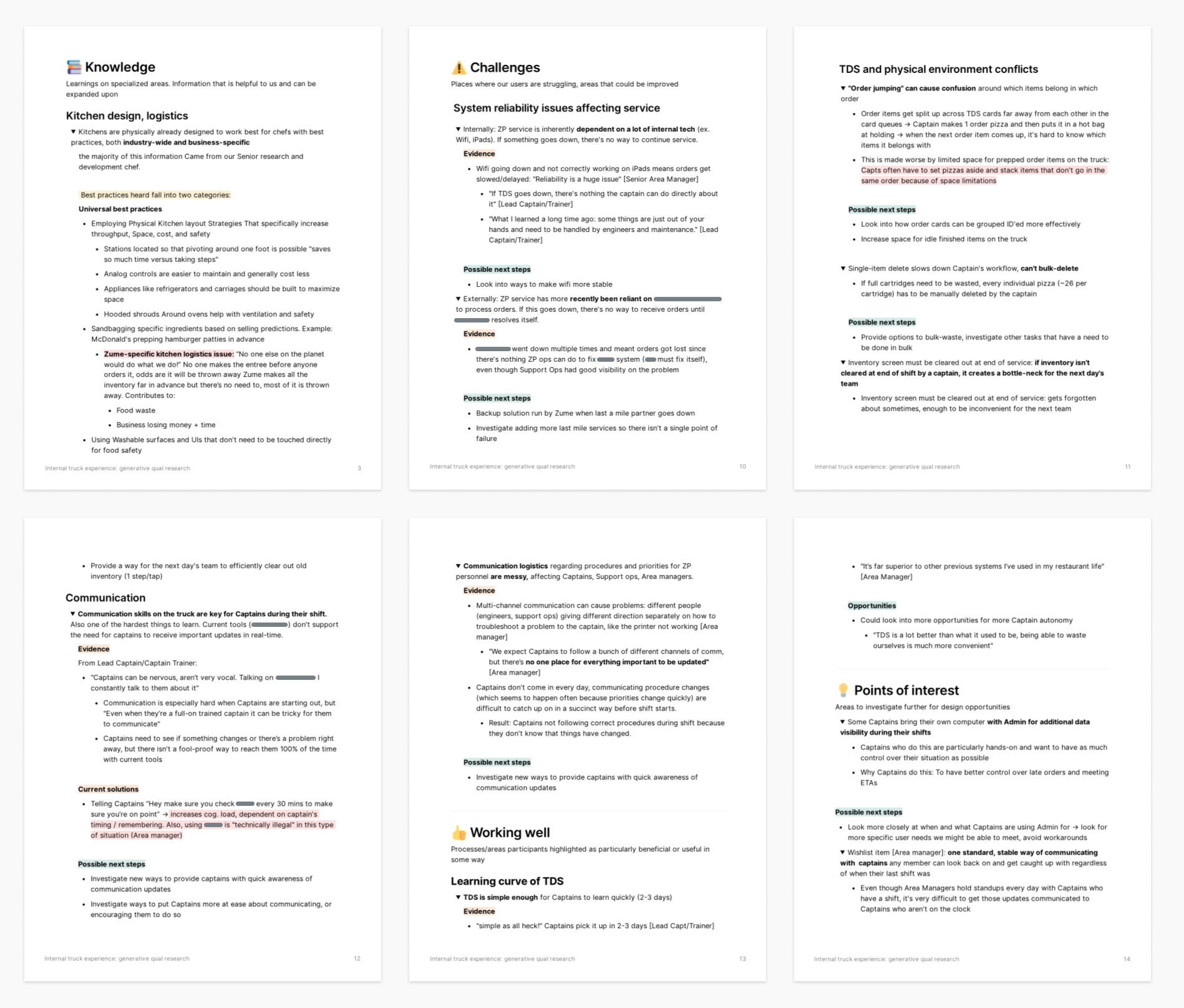
Selected pages from the final Notion document I created. Click to zoom.
Competitive analysis: pick-up
Competitive analysis: pick-up
Competitive analysis: pick-up
We needed domain knowledge for a specialized feature combining hardware and software
Zume had wanted to develop an order pick-up solution as an optional hardware and software add-on for their partners’ trucks. One of Zume’s partners, &Pizza, was interested in this type of pickup solution. This would allow &Pizza customers to pick their order up directly from the food truck. It would also provide another option for customers besides delivery by a last-mile driver and an experience closer to that of a traditional food truck.
We knew the project was going to be a high priority, and the complexity level of such a feature would be high since it would involve hardware and software for both the expediters aboard the trucks and the customers picking up their food. A competitive analysis would give us some much needed domain knowledge. It would also help us understand what others were getting right about the pickup experience, and what we could do better as we designed a similar solution into food trucks.
Visits and interactions were documented to share with the project team
I collaborated with an industrial designer to visit different order pick-up solutions and document our experiences. This way, we each got to see how the solutions worked in their entirety while also getting to pay greater attention to how the hardware and software worked respectively. We chose to visit a Little Caesar’s with a pizza portal, Eatsa, and CafeX. It was important that we got to see the solutions in person, because most of the secondary material we could find online did not effectively illustrate the the level of detail or reality we were looking for.
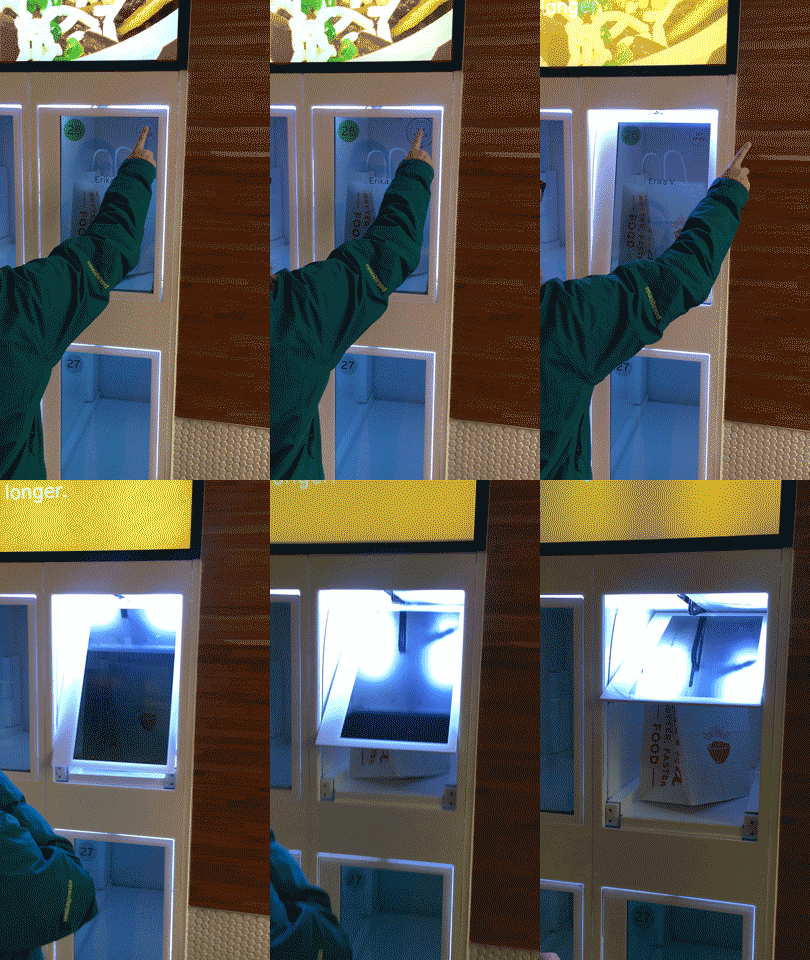
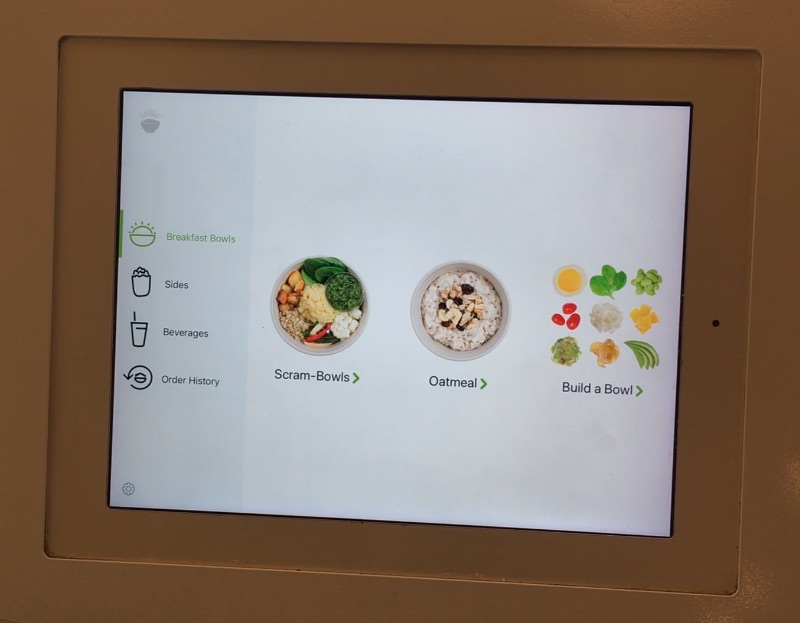
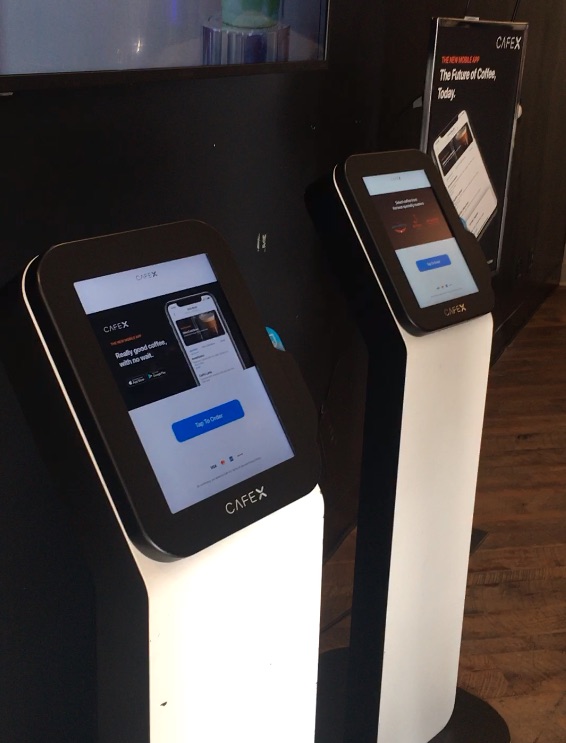
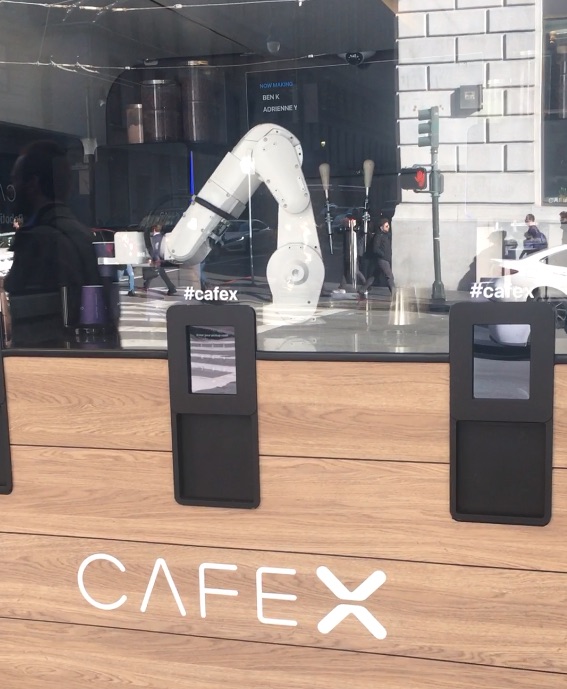
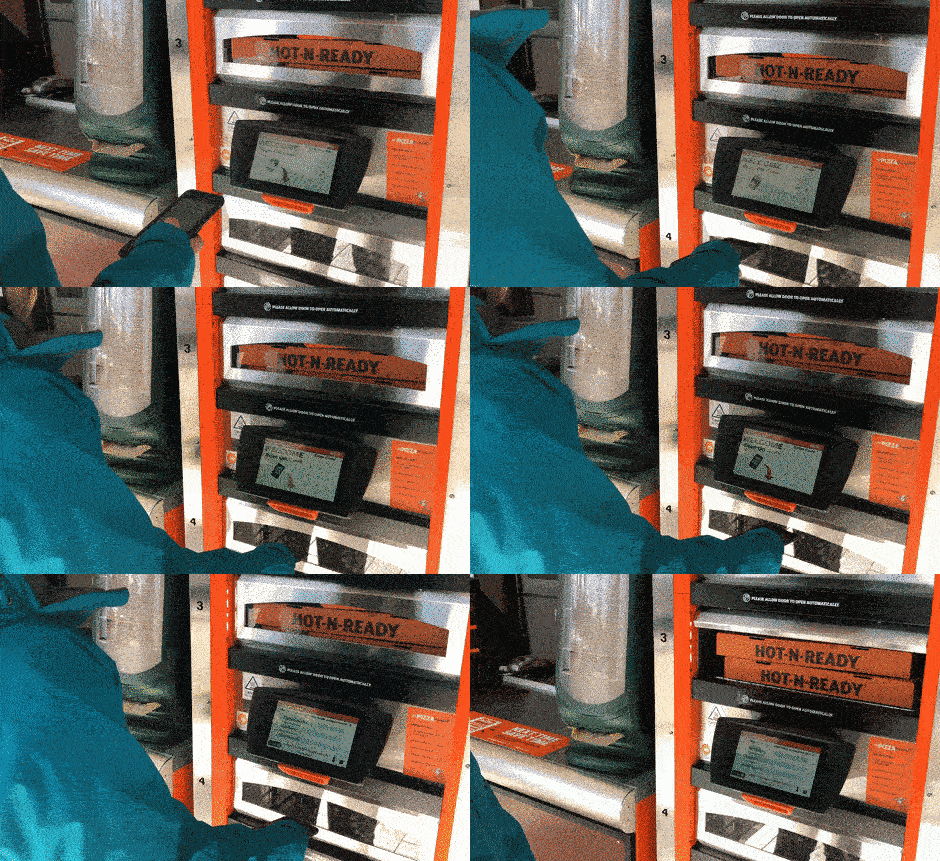
Footage from our pick-up visits.
Each pick-up visit was studied and outlined for what we could learn
I organized the visits into a deck that would be readily available to view for anyone working on the project. This included an overview of each pick-up journey so that others could see what happened from our perspective alongside observations of what worked, what didn’t, and takeaways that we should be thinking about when designing our own solution.
With the knowledge we had gathered, my industrial designer teammate started working through foamcore mockups for testing different ideas that could fit into the existing food trucks and documented testing them out. This material was compiled into the same research deck showing what we had learned and how it could be applied to Zume’s version, and my teammate later presented this research alongside ID mockup options to leadership stakeholders.
Outcomes
- Evidence supporting design concepts presented to leadership
- Outlines of similar solutions step-by-step for anyone working on the project to reference
- Strengths to aspire to and weaknesses to avoid on similar solutions
- Expanded knowledge on pick-up solutions including new considerations and angles to think about for our own version of pick-up that weren’t previously on the team’s radar
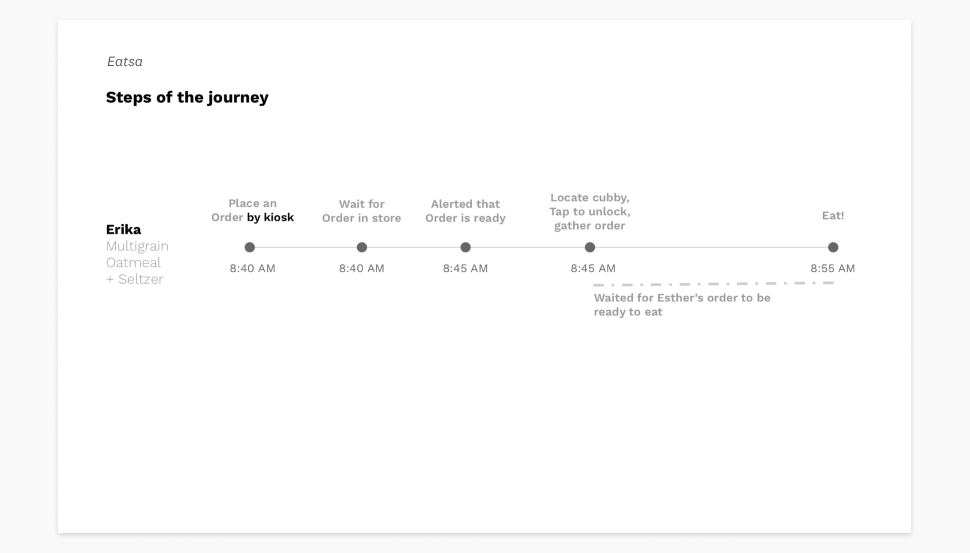
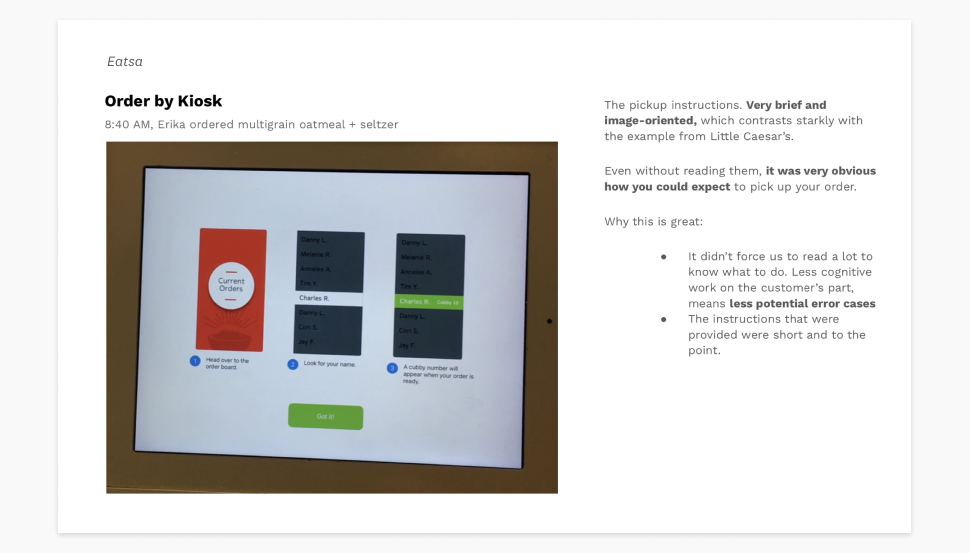
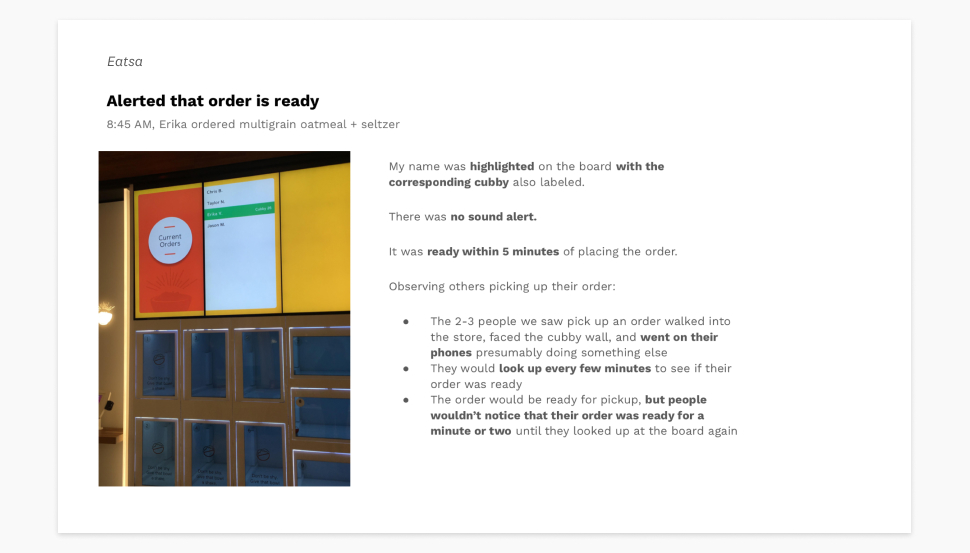
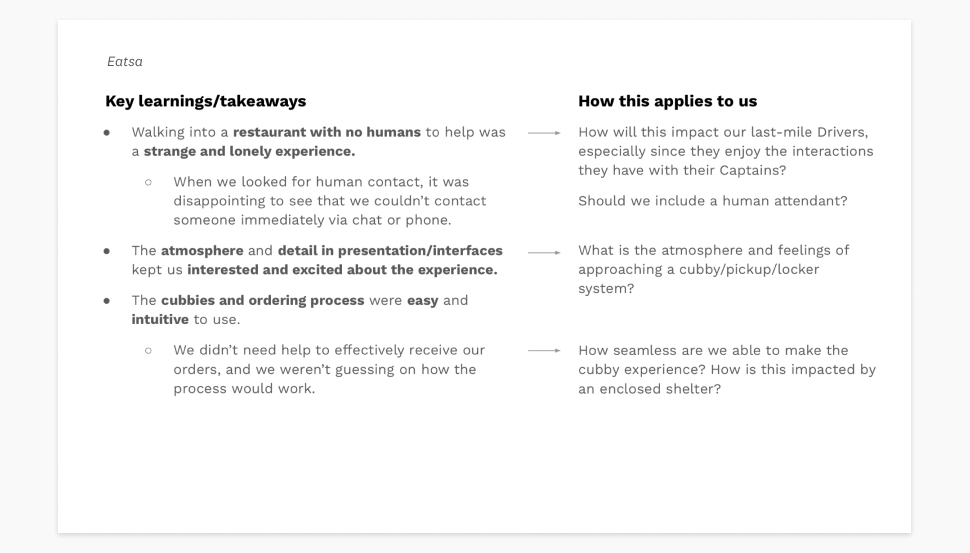
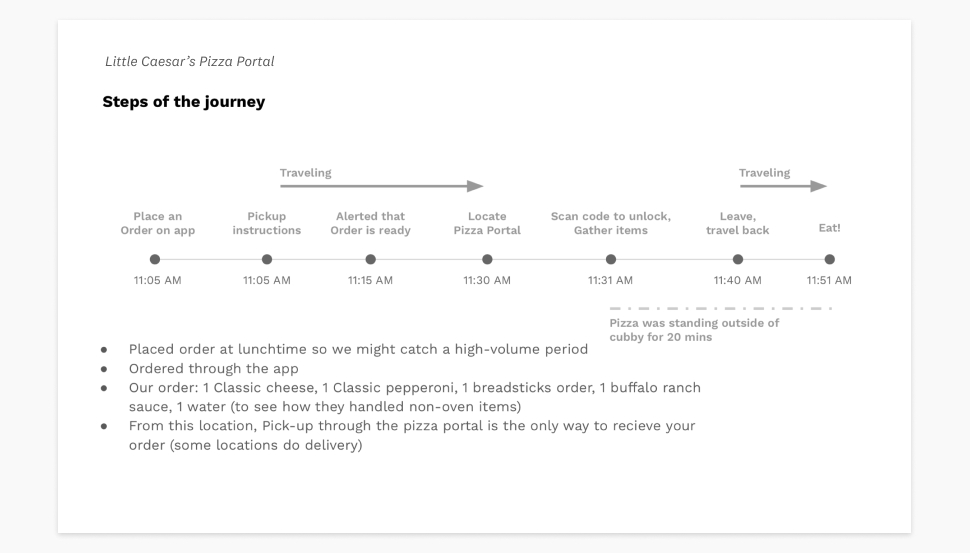
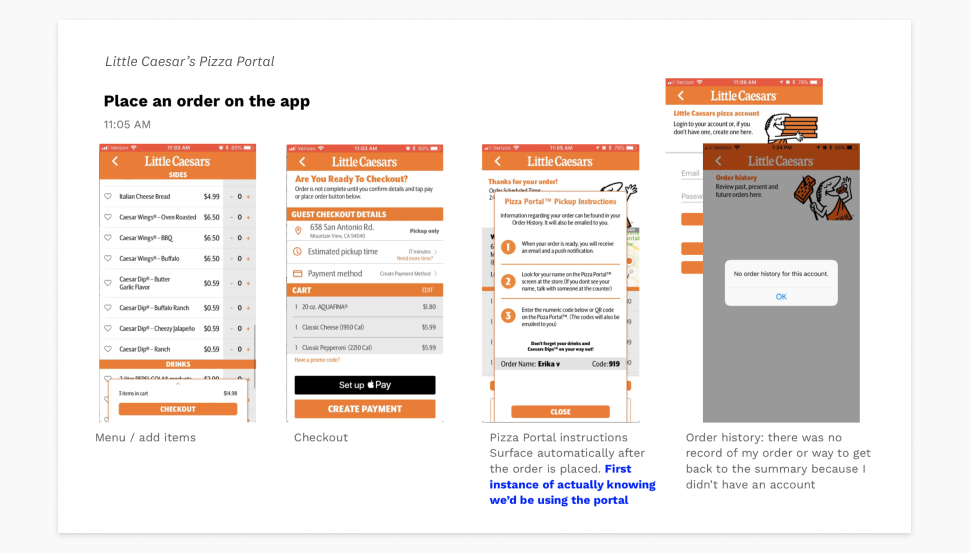
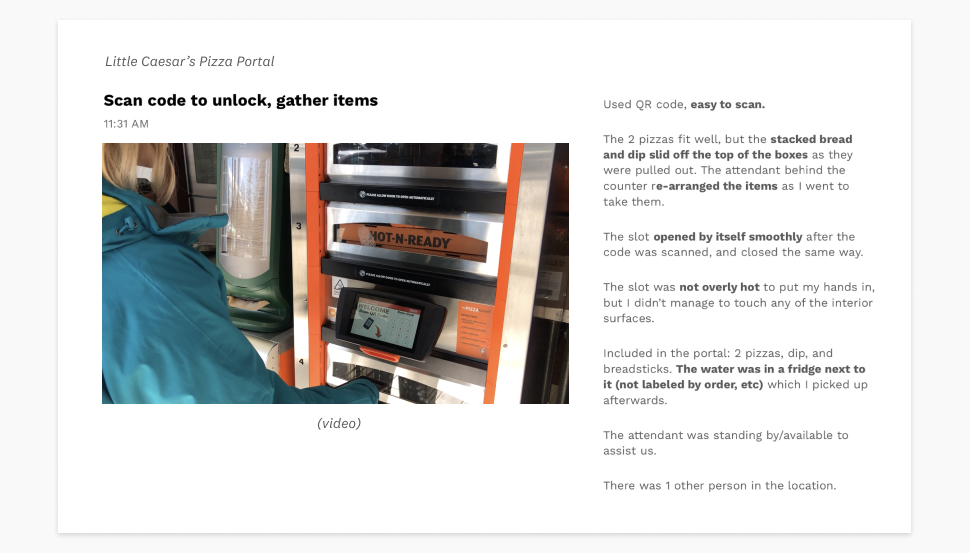
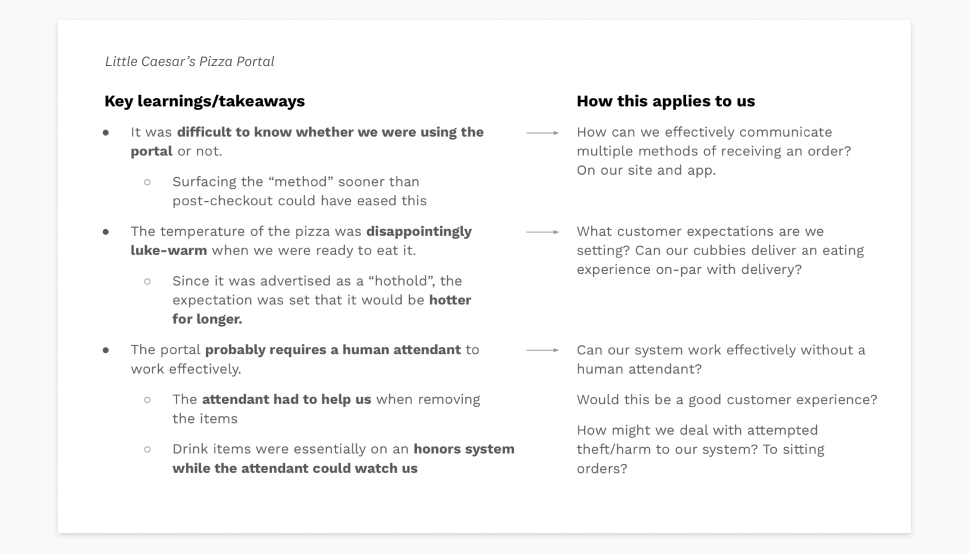
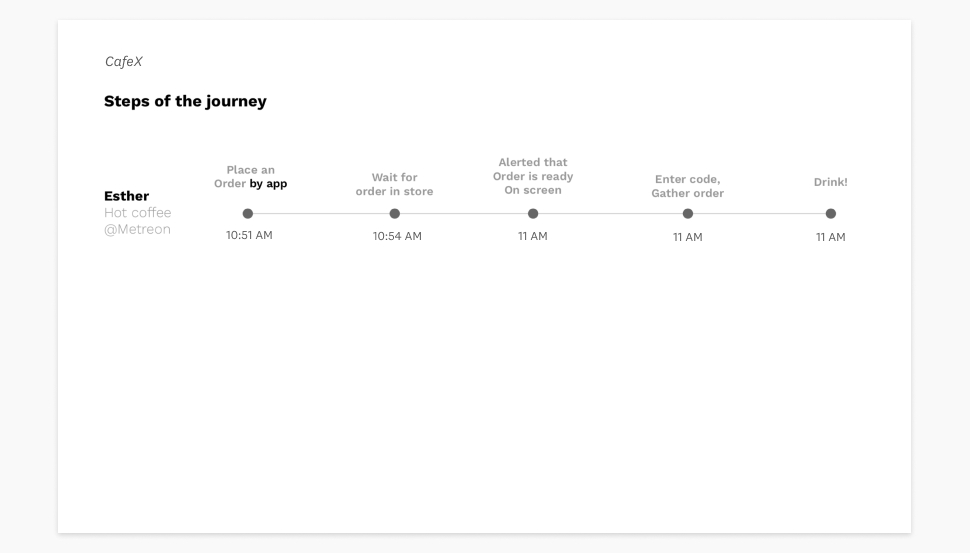
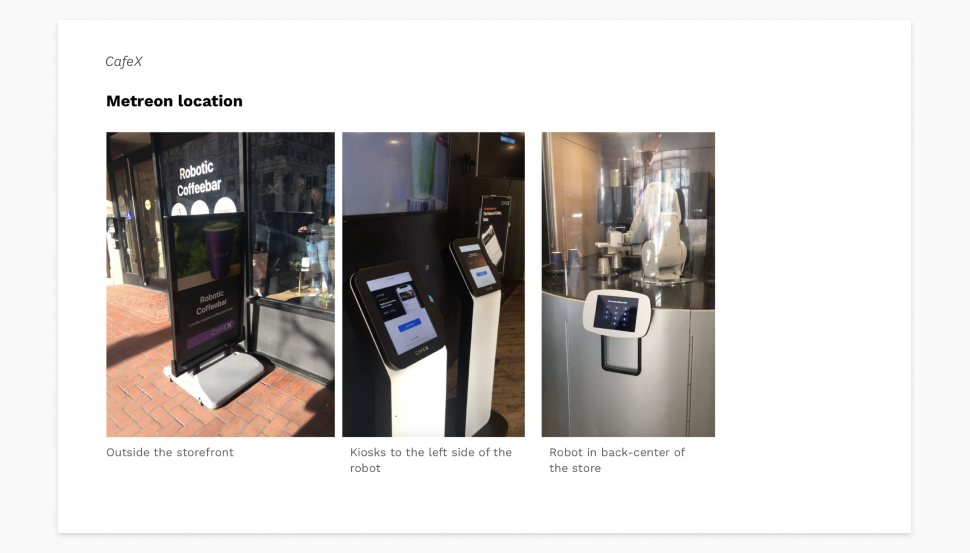
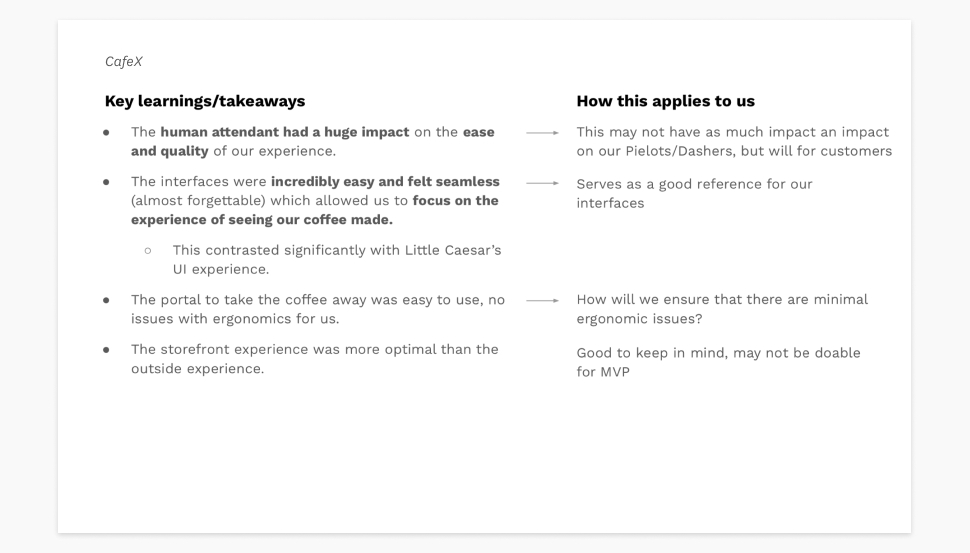
A selection of slides from the final deck I put together.
Testing: fast-casual prep
Testing: fast-casual prep
Testing: fast-casual prep
Can we move from a highly specified use case to a general prep tool for partners?
During its first years, Zume Pizza had developed a food prep software tool that guided expeditors aboard food trucks through cooking, packing, and handing off pizza orders.
When Zume expanded to a B2B food operations company, we knew they would need a back-of-house food preparation software for partners trying to make a variety of food products (e.g. drinks, sandwiches, salads, pretty much any fast-casual food option you can think of!). It made sense to try adapting Zume Pizza’s existing software to a more flexible tool that could work for these types of situations, but we needed to test this idea.
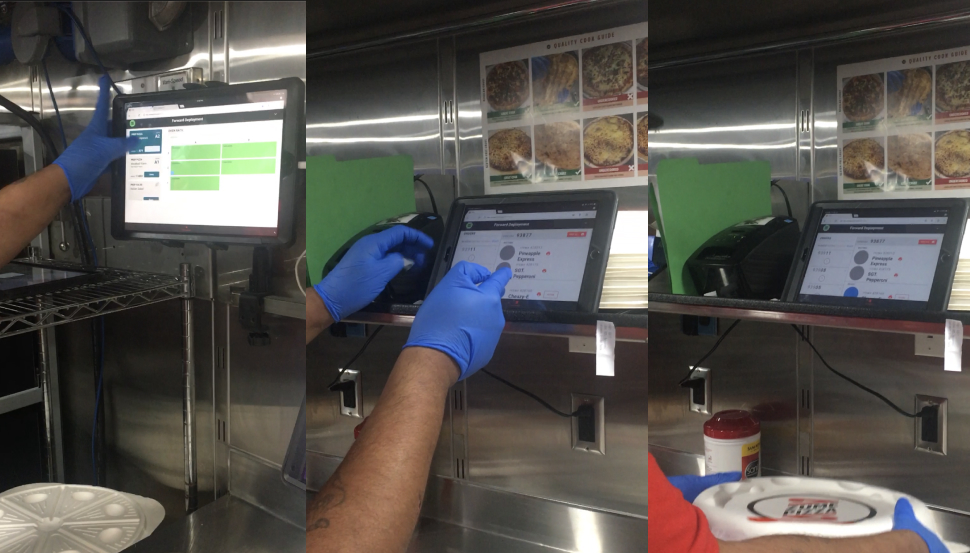
Zume Pizza’s existing prep tool, used by expeditors aboard the Zume Pizza trucks.
General use cases included more variables than Zume Pizza’s operations
The original tool for Zume Pizza had been built to fit their types of users, vernacular, and error cases exactly. We would need to account for more variables we learned about during discovery interviews for the tool to be useful to Zume’s partners, and to avoid a re-design of the tool for every partner’s operations. Examples of these variables included:
- Unconnected appliances for heating and prepping food, potentially multiple types in one workspace
- Multiple stations each designed for specific prep activities (e.g. bake station, finishing topping station)
- Multiple types of users needing to view different stations and know an item/order’s status at a glance
- Process-specific language that would align with how users were trained to do their job
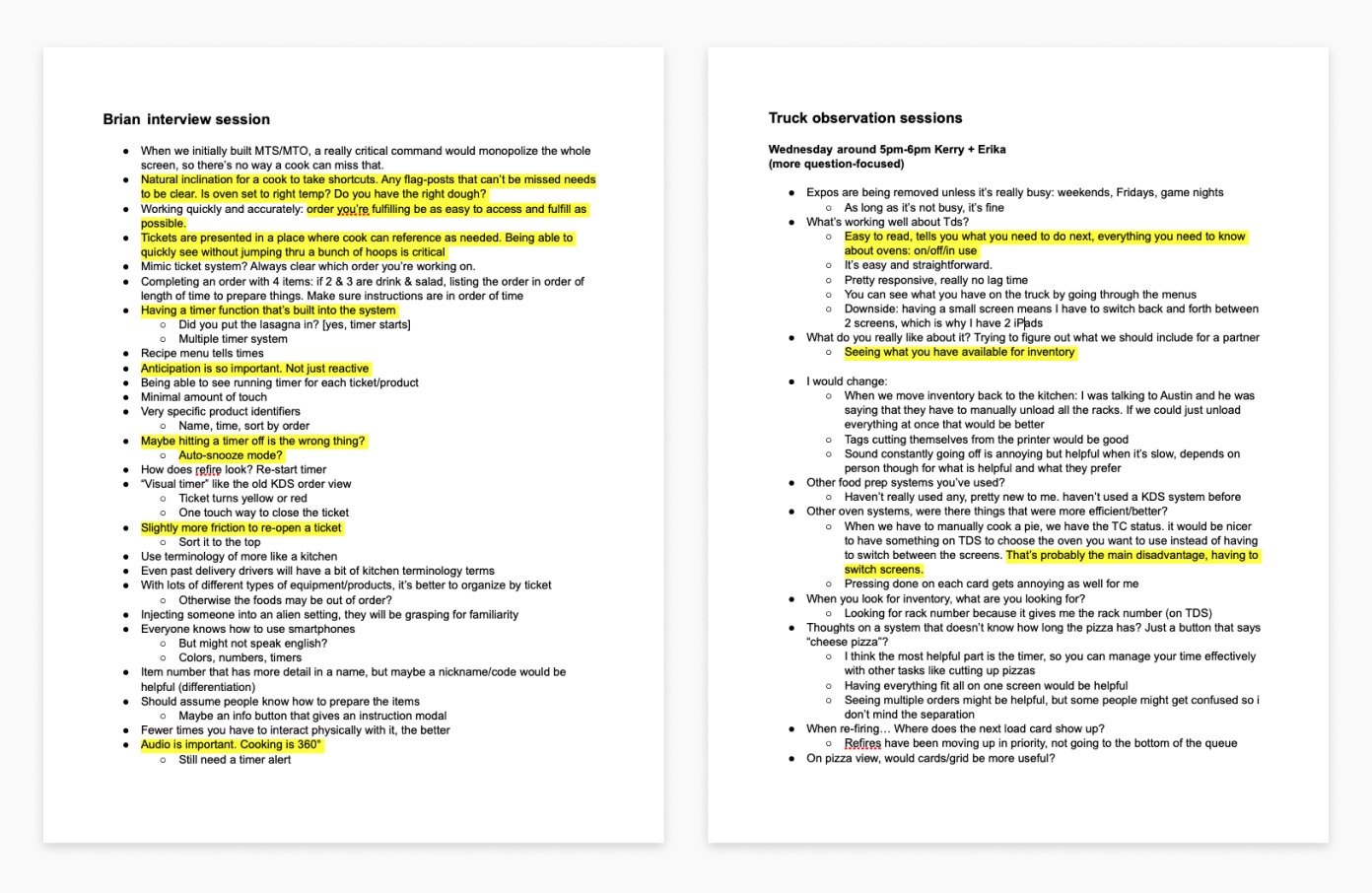
Notes from our discovery interview sessions with Zume Pizza employees. Many of them had extensive backgrounds in food operations.
We tested prototypes on a workspace resembling simplified fast casual prep
Testing on a workspace resembling simplified fast casual prep
To test the types of variables we heard from discovery interviews and move away from a pizza-centric setup, my teammate and I designed a mock-up environment that produced milkshakes and cookies, with a corresponding Figma prototype. We needed to approximate actions that might take place in a real kitchen setup because most of the work of is done outside of the software: making the food! We prepped a training script for our testers, planned a task analysis, mocked up different appliances and processes to prep the food items, and synced the task flow to our prototype to simulate orders.
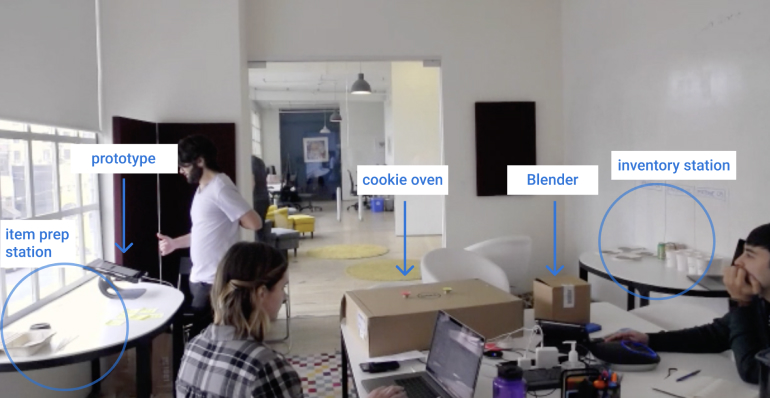
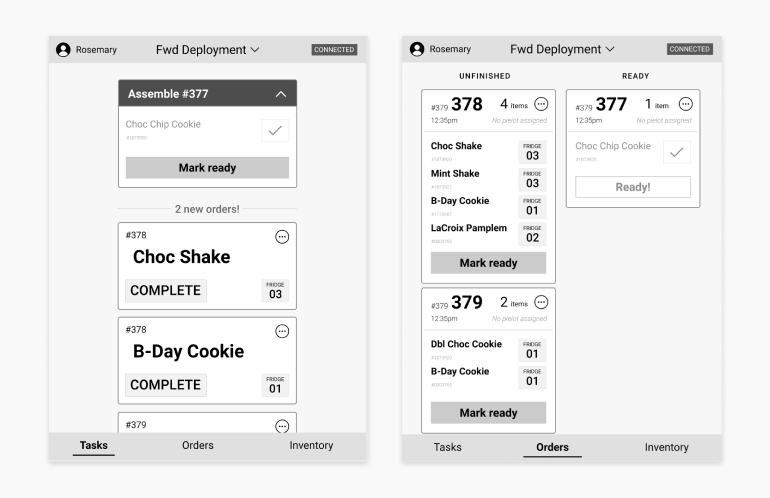
Diagram of our prototype setup, and our prototype. Our first iteration focused on a paired-down tasks view that gave testers a checklist of items to make and where to find the inventory items. A separate orders view was where testers would mark the final orders as ready for pick-up.
Measuring success
We had a few metrics we would be looking at to gauge the success of our solution, some hard and some more squishy:
- The amount of orders correctly packed
- How closely testers’ actions followed the task analysis we laid out
- Ease of understanding the task at hand
- Confidence in the system and action
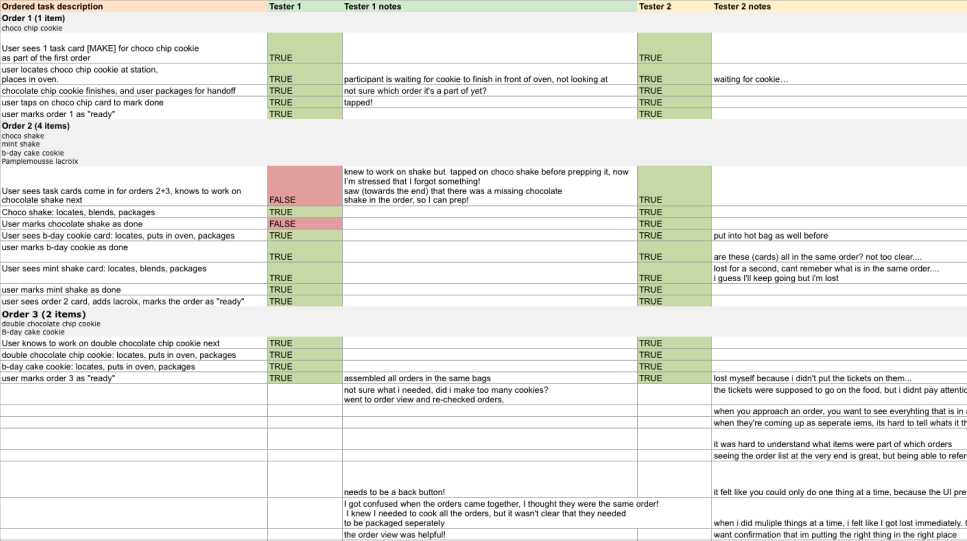
The task analysis and note sheet I made for testing, filled out with some results.
Discussion, prioritization, and revision
After outlining the main themes we saw and heard from testing with a couple hours of whiteboarding, we concluded the main goal of our next iteration should be to solve item and order context issues we observed because it was the root cause of most errors we saw during testing. We revisited the information hierarchy in the tasks page to include:
- The next task
- A sense of orders and progress
- Other upcoming tasks
This guided the main change we made in our next prototype, which was an order panel on the task view for an overview of orders and progress. We also added a confirmation/undo notification at the top of the panel when a task card is marked as complete, and revised action language to be more specific. For example: “Complete” was changed to “Mark complete” on the task action cards.
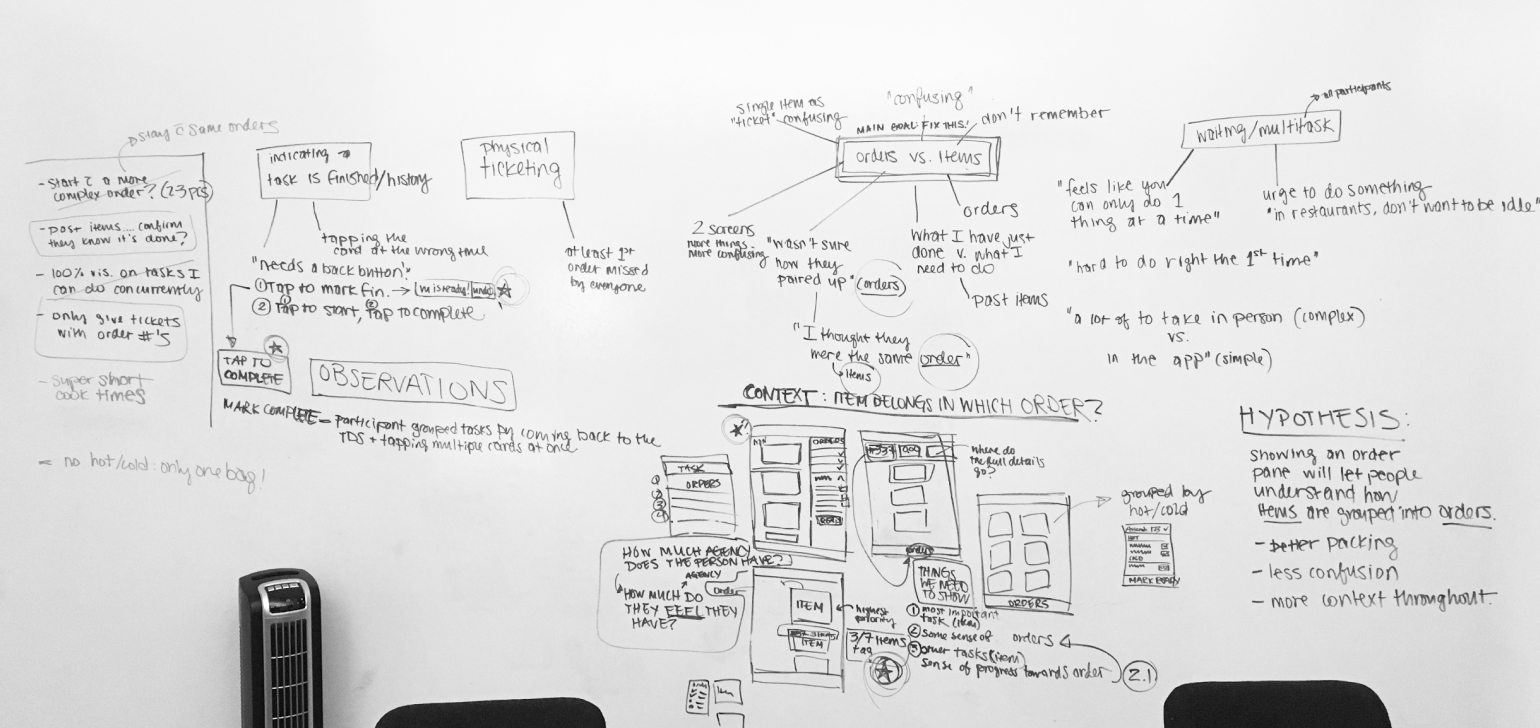
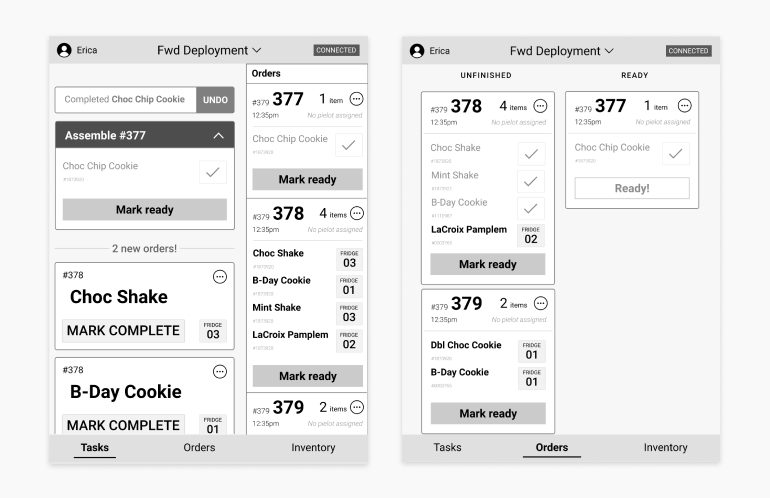
Our whiteboard from a session of discussion where we gathered common themes and worked through what we wanted to do next. Below, a revised prototype.
Outcomes
Outcomes
Improvements in our test results
We saw a significant improvement from our first round of testing to our final prototype.
First test
- 2/4 testers incorrectly packed at least 1 of their orders
- 3/4 testers deviated from the task layout significantly
- Many questions and points of confusion raised by all testers
- Tentative action and uncertainty, waffling
Last test
- All 4 testers correctly packed all of their orders
- One tester deviated from the task layout in a minor way
- One clarifying question was raised by a tester
- Testers were confident in their actions, like they had done it before
Confirmation of our hypothesis
This experiment proved to us that it was certainly possible to take the bones of Zume Pizza’s existing food prep software and modify it for other types of fast-casual food. We would need to spend more time understanding the different types of workflows that are commonly used to create flexibility in the tool.
Learnings applied to a partner’s tool
Not too long after this testing, we were asked to create a similar tool for Zume’s first partner in food logistics, &Pizza. We were able to conduct more testing that was specific to their processes, built off of this initial test session.
Future areas to investigate
Our testing highlighted areas that we would need to conscious of as we investigated and designed this tool further:
- Support for multi-tasking in food service. Our prototype was limited in its ability to simulate multiple tasks needing attention at once, so we wanted to minimize multi-tasking for the sake of a smooth testing setup. Our testers, many of who had worked in food service, wanted to multi-task and get things done as quickly as possible. This aspect of work would be necessary to understand and address in the tool.
- Trust in the system. Multiple participants questioned a certain task being presented to them by the tool because they thought a different task would be more efficient at that point in time. We would need to look into ways that we could support human trust in the tool in various ways: training, in-line reasoning from the system, or allowing human overrides as a few potential solutions.
- Assembly processes and industry-standard operations. To create a successful generic tool, we would need to understand much more about how a variety of fast-casual restaurants operate. This would help us categorize different sets of variables so we could effectively cover different options and configurations.